Fewer status calls.
More referrals.
Path and Link are live, and your new website is here. One email gets an agent set up, and you stay the front door.
Three things landed at once
They all point the same direction: fewer status calls for you, more visibility for your agents and borrowers.
Path
Apply, upload, track the loan and ask Sophia.
- Access
- Apply Now, or you invite them
- Works on
- Vesta branches, for now
- Status
- Live since week of 14 Sep
Link
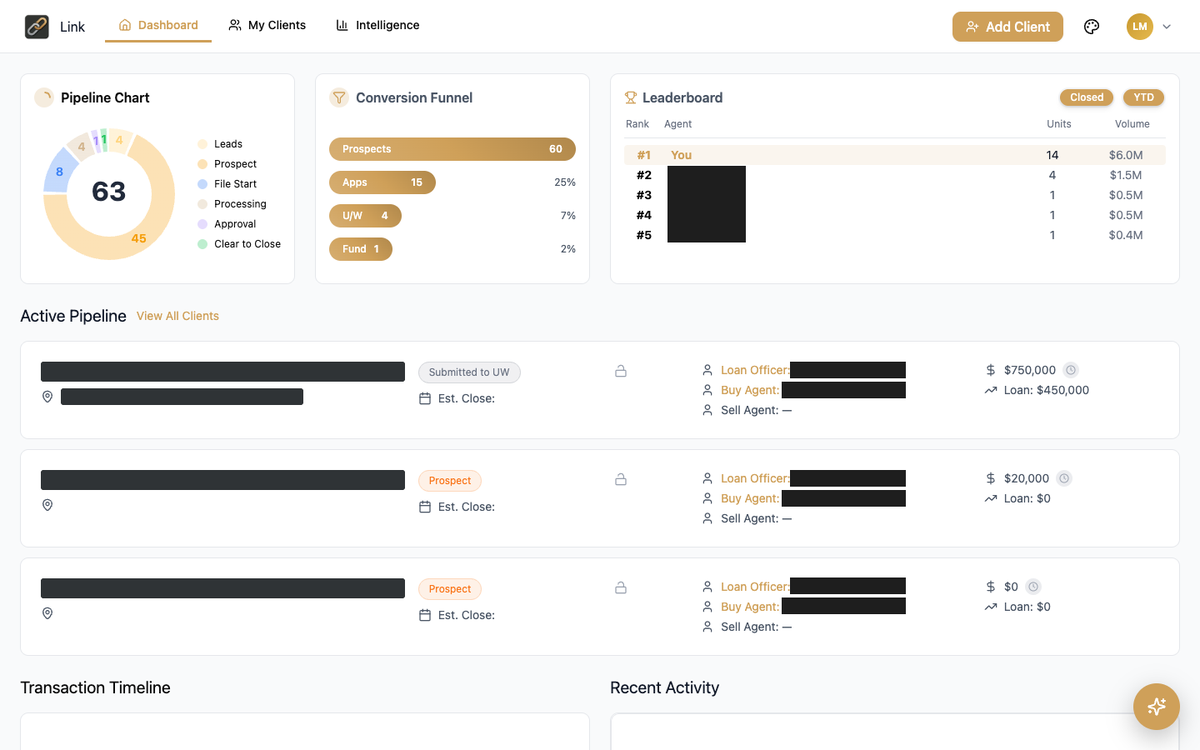
Pipeline, lock and appraisal status, buyer invites.
- Access
- Email linksetup@afncorp.com
- Works on
- Encompass and Vesta
- Status
- Live since week of 14 Sep
Your new website
Faster, built for the phone, built to bring in leads.
- Access
- Public at afncorp.com
- Covers
- Corporate, ~161 branches, LO pages
- Status
- Live Wed 23 Sep, evening
See both portals in 2 minutes
A narrated tour of Link for your agents and Path for your borrowers.
Their loan, on their phone
For branches on Vesta, Path replaces the old apply-now wizard and the borrower portal with one place. No second account, no invitation email to lose.
- Apply Now goes straight into Path. Today a borrower fills out a wizard, waits on an email and then builds an account to start again. That's gone.
- Upload documents by drag and drop. Files sort themselves by category with real-time status.
- Track the loan on a dashboard that updates at every milestone, from application to closing.
- Ask Sophia, the built-in AI guide, about rates, next steps and documents, at any hour.
- Finish and get the letter sellers prefer. Path walks the borrower through Apply, Verify and Close, and a completed application produces a verified pre-approval letter.
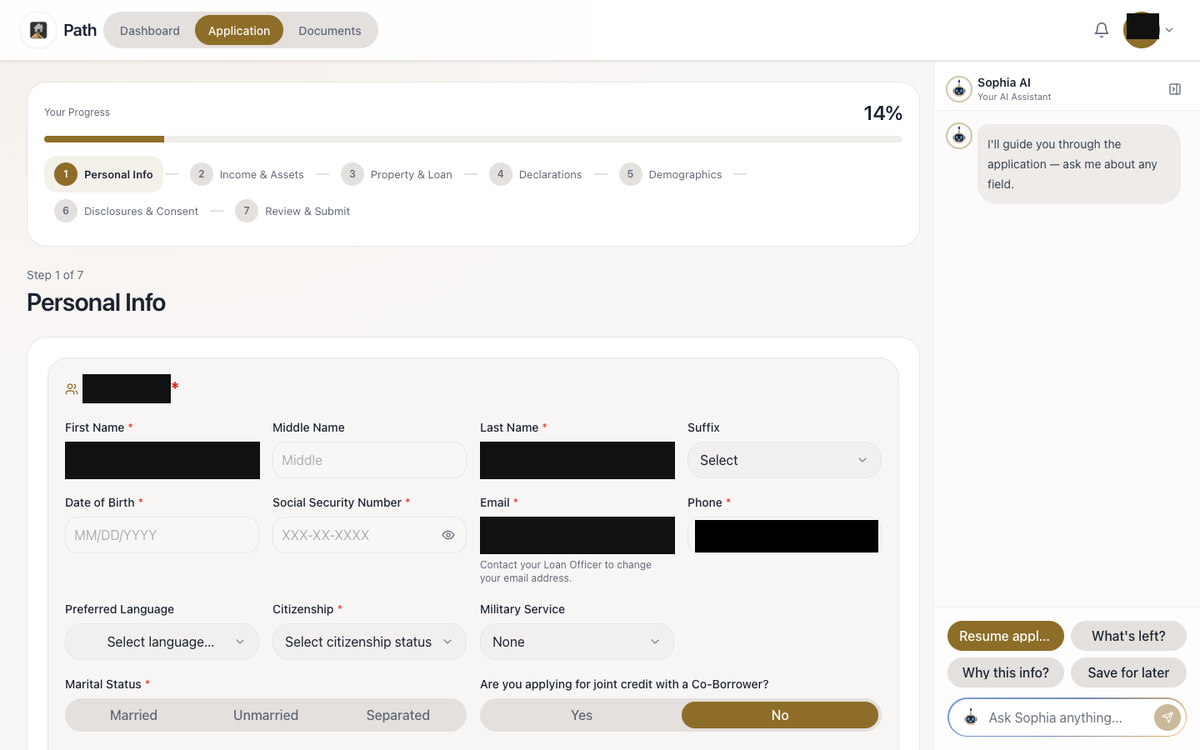
The Path application: seven guided steps with a progress bar, and Sophia alongside every screen.
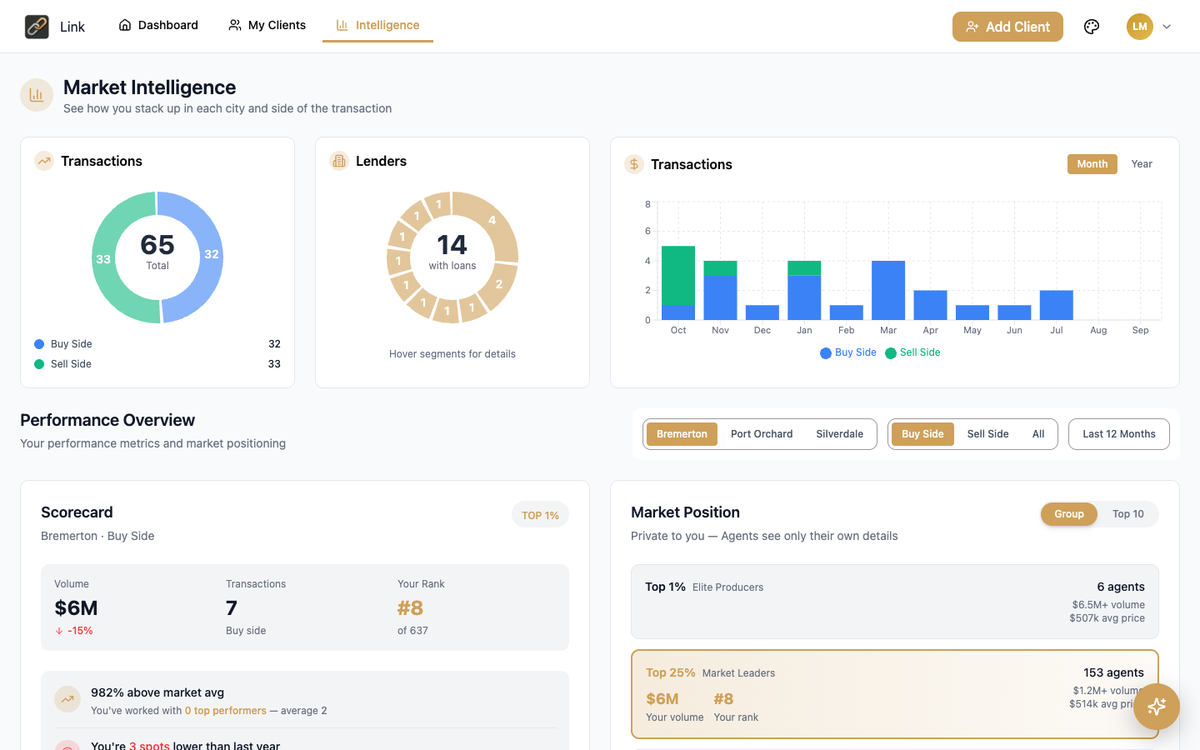
Market Intelligence in Link. Sample screen from a test environment; figures are not real.
Juliet, an AI assistant for your agents, is coming to Link. We'll say when it's live.
They see their deals without calling you
Link gives agents the visibility they've been asking for, and gives them a reason to keep sending you business.
- Dashboard: every buyer and every stage the moment they log in.
- Rate-lock indicator: a green lock on locked loans, with lock and expiry dates on hover.
- Appraisal status: Pending, Complete or Low. They learn about a low appraisal from the portal, not a hard phone call.
- Add Client: the agent refers a buyer to you by name and you get notified. The buyer gets an invitation to pre-qualify or apply.
- Documents: agents upload the purchase contract and other documents straight onto the loan.
- Leaderboard and Intelligence: market rank and analytics for every agent. A reason to book a business review.
- Payment calculator: conventional, FHA or VA, purchase or refinance, with a Share button so they can send the numbers to a buyer.
A faster, modern AFN
The corporate site and about 161 branch sites were rebuilt from the ground up, and your LO page has been refreshed.
- Built for the phone, where most borrowers find you. And faster.
- Short web addresses: afncorp.com/[your-branch]. Easy to say on a call or print on a card.
- Old links still redirect, so no business card stops working.
- Branch managers own their page: roster, photos, phone, hours and bios. Addresses come from NMLS, so address fixes happen at NMLS first.
One email, and they're set up.
There's no sign-up page for agents to find. The invitation comes from you, which is the point: everyone who gets in is connected to you.
Agent name:
Agent email:
Company:
We send the invitation and let you know when they're in.
Why by email for now?
So you can start this week instead of waiting for the next release. The invitation moves into Snap One and Rock CRM, which support both Encompass and Vesta. IT is targeting a first release in about a month. A form in Command Center is being built in the meantime.
Already using Snap Vesta?
You can also invite an agent yourself: open your pipeline, click Invite Realtor, and enter their email, name and company.
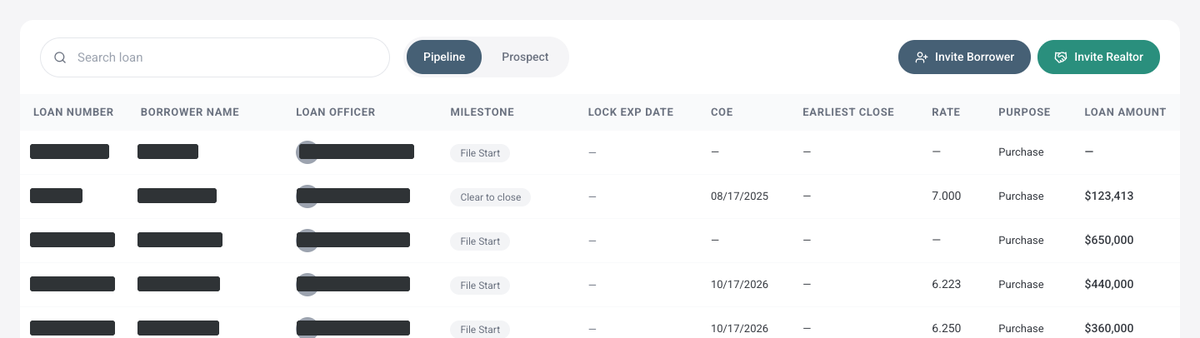
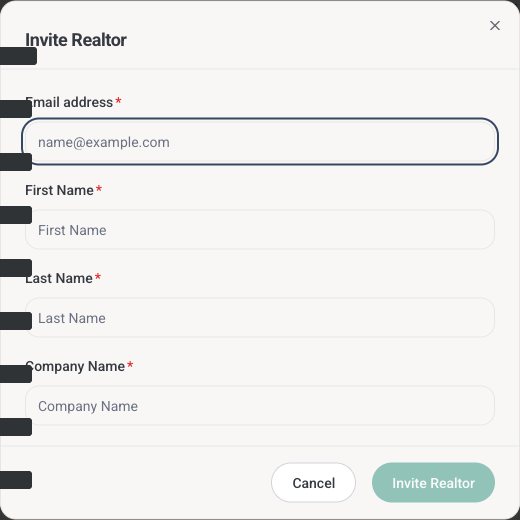
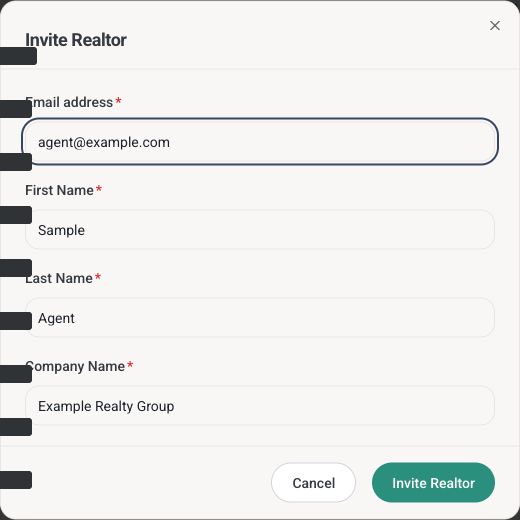
The Invite Realtor form in Snap Vesta, for LOs who already have it.
From CommandCenter@afncorp.com [confirm], subject "You Are Invited to Link – American Financial Network's Realtor Portal." Tell them to watch for it, and to check junk mail.
If you invite from Snap Vesta: from noreply@afncorp.com, subject "American Financial Network, Inc. – Invites you to complete your loan in PATH." If their agent sends them in from Link: from CommandCenter@afncorp.com, subject "American Financial Network – Loan Application."
You'll get an email when your agent accepts the invitation. Can't get in? Agents and borrowers go through the help desk [HelpDesk@afncorp.com — confirm].
| You want to… | Do this |
|---|---|
| Get an agent into Link | Email linksetup@afncorp.com with the agent's name, email and company. Or use Invite Realtor in Snap Vesta if you have it. |
| Get a borrower into Path | They click Apply Now and land in Path. Vesta branches only for now — if your branch is still on Encompass, keep using the current borrower portal until it transitions. |
| Let an agent send you a buyer | Tell them: in Link, Add Client → pick you as the loan officer → Save & Send Referral. You get notified, and the referral is tied to you. |
Three lines that do the job
I'm getting you into Link. You'll see every one of our deals, lock status and appraisal status, without having to call me.
Everything happens in Path now. One place to apply, upload documents, track your loan and ask questions any time.
There's no sign-up page. Send me your email and I'll get you set up.
First Invite Challenge
The first 25 LOs to get an agent into Link get a shout-out. The top LO and the top branch win [prize]. Standings update every Monday.
| 1. [LO name] · [branch] | [n] agents |
| 2. [LO name] · [branch] | [n] agents |
| 3. [LO name] · [branch] | [n] agents |
| Top branch: [branch] | [%] of LOs |
Go deeper
Demo recording
Jennifer Lopez walks through Path and Link.
2-minute walkthrough
The narrated tour of Path and Link.
LO quick-start handout
One page. Print it or keep it on your desktop.
Questions? Command Center Help <CommandCenterHelp@afncorp.com>